
Reading a script shouldn’t look like it.
Built for how creators actually work, not a scripted studio read. Real formatting, scrolling that follows your voice, and sessions you can share across every device in the room.
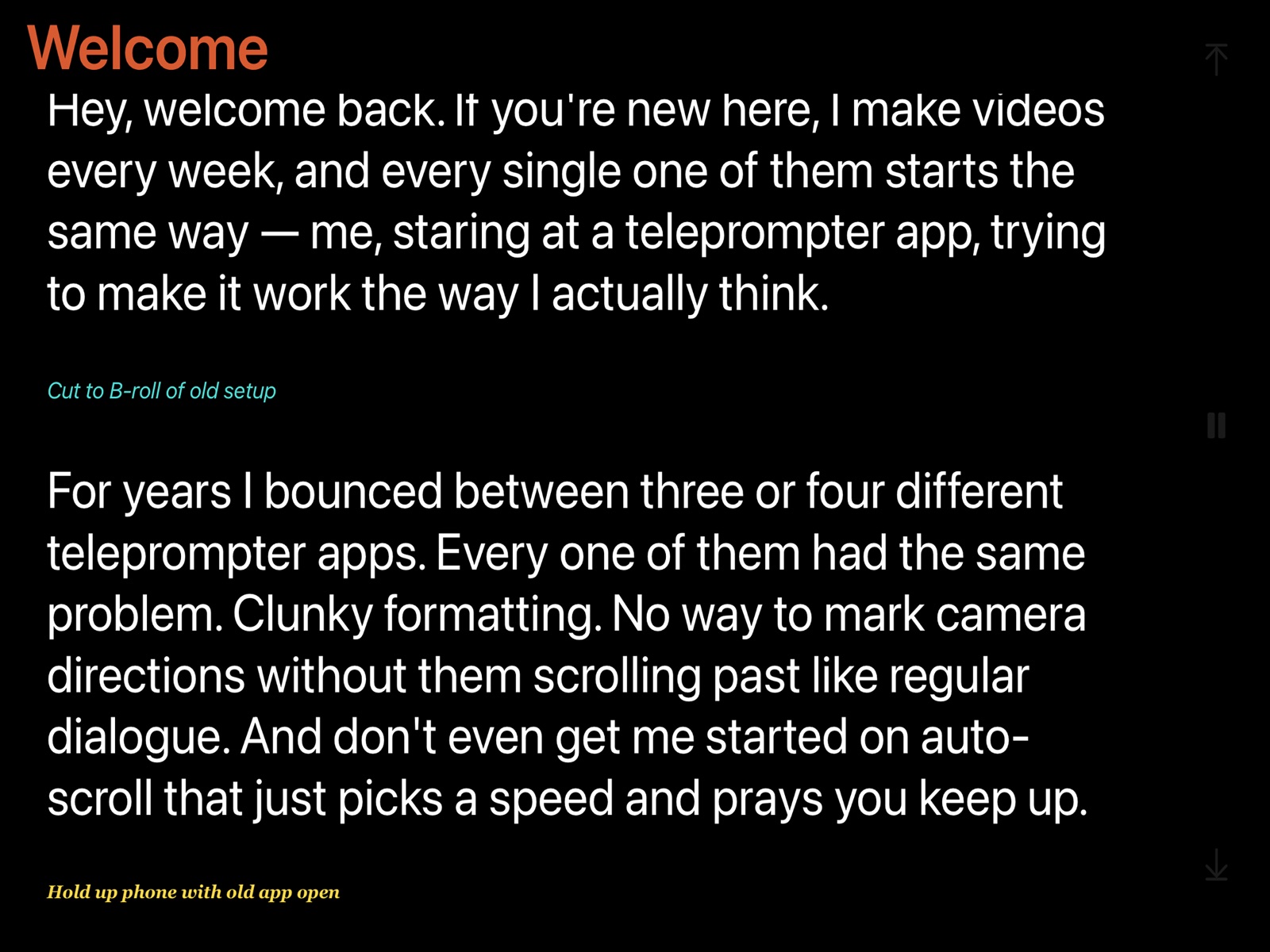
A few symbols. Every cue in its place.
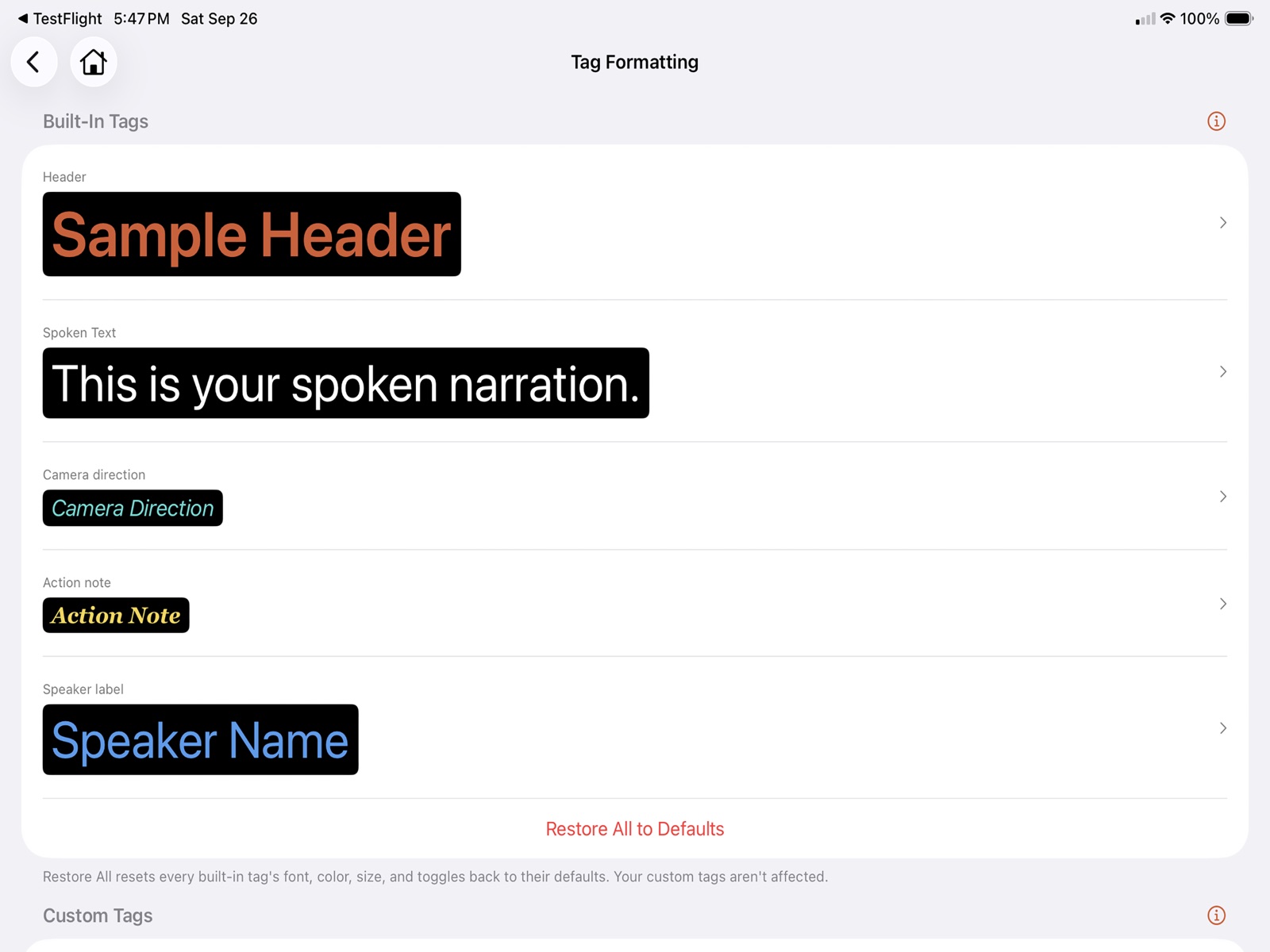
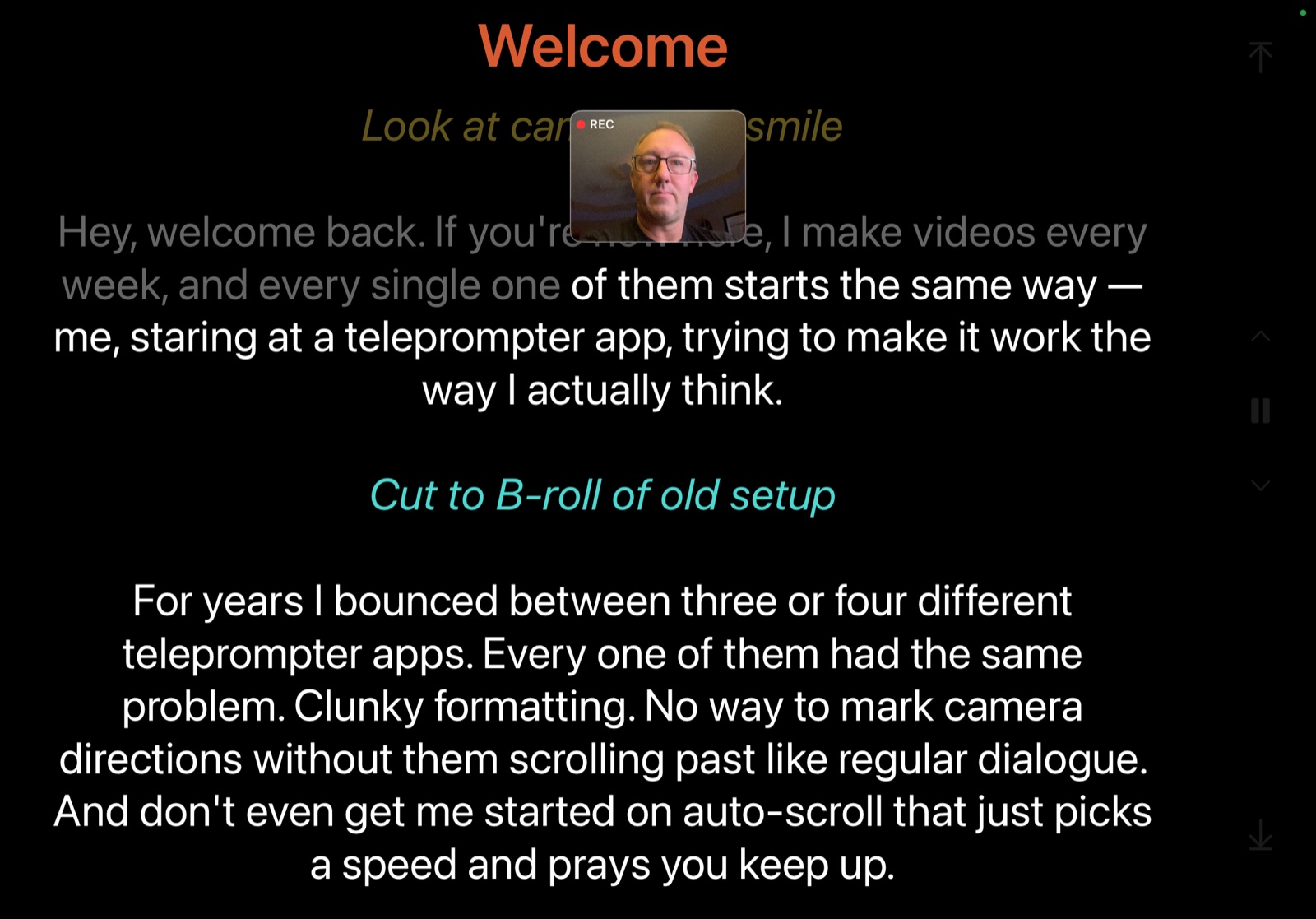
Write your script in plain text. Teliprompt turns it into a color-coded prompter display, with the markers right where you need them, so a camera cue never scrolls past like dialogue.
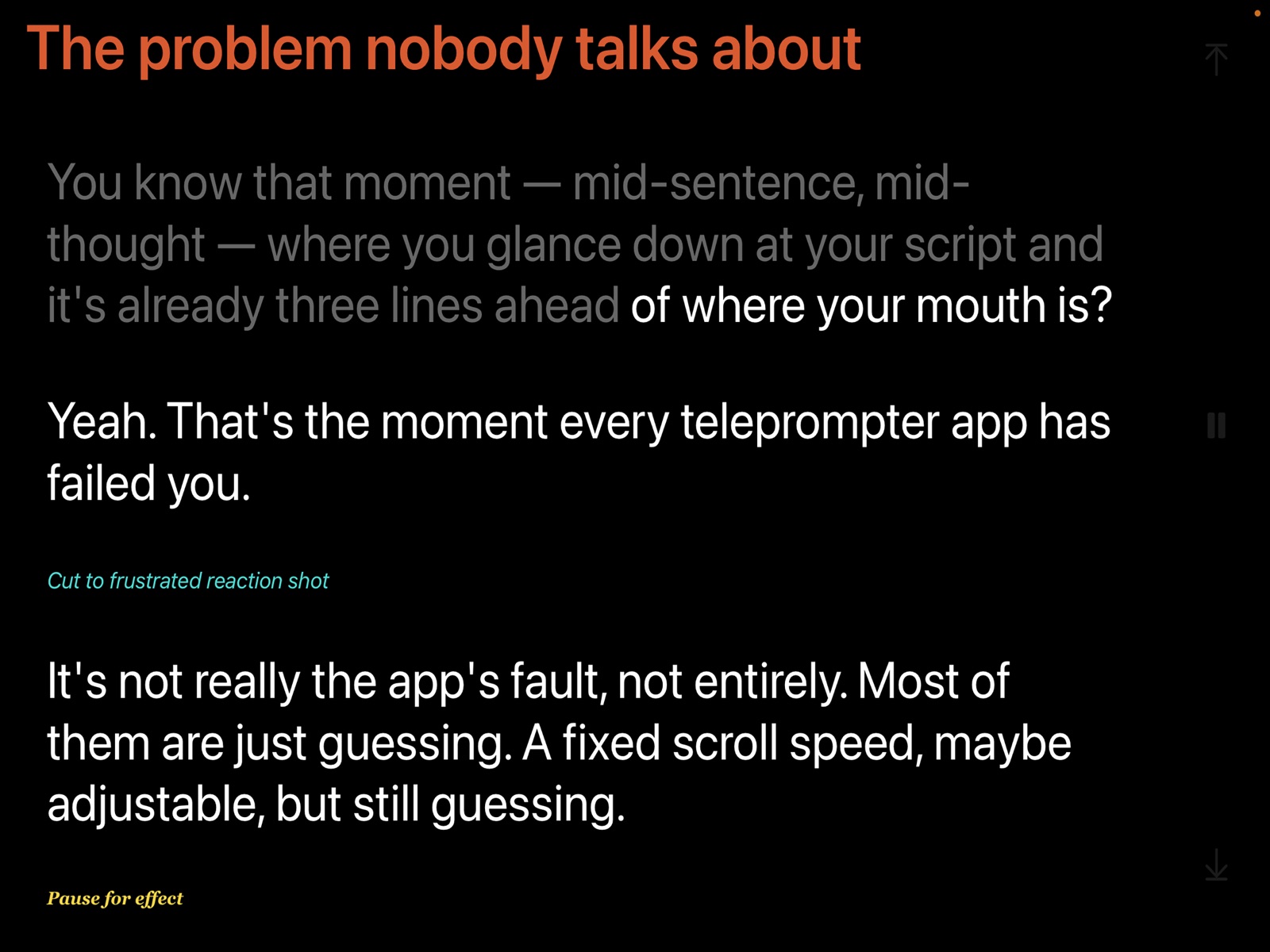
Go off script. It follows you back.
Text Match tracks your exact words. Ad-lib, pause, skip ahead, or riff for a moment, and the script picks you back up when you return.
Prefer a steady pace? Timed Scroll holds a speed you set, and Scroll While Talking moves as you speak.
Text Match is an optional subscription. It runs on your device, and your voice is never recorded or sent to us.
Read together, in sync.
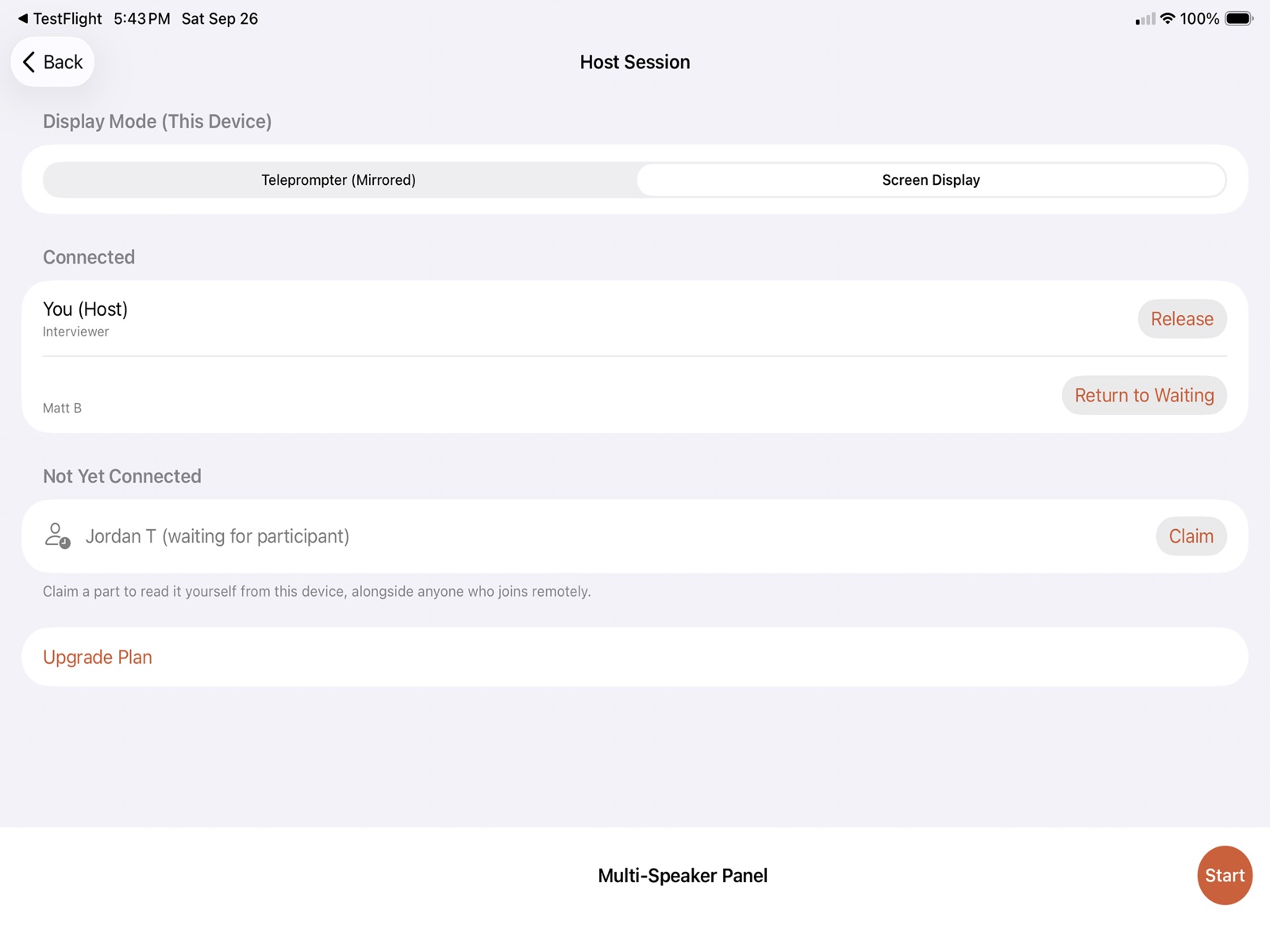
Host an interview or a panel from one device. Everyone else joins from their own phone or iPad and sees the same script.
Each speaker claims a part. Scrolling follows whoever is talking, and a live indicator shows who has the floor. Any part nobody claimed can be handed to the host or to a specific person.
Only the host needs a Multi-Device subscription. People joining just need the app.
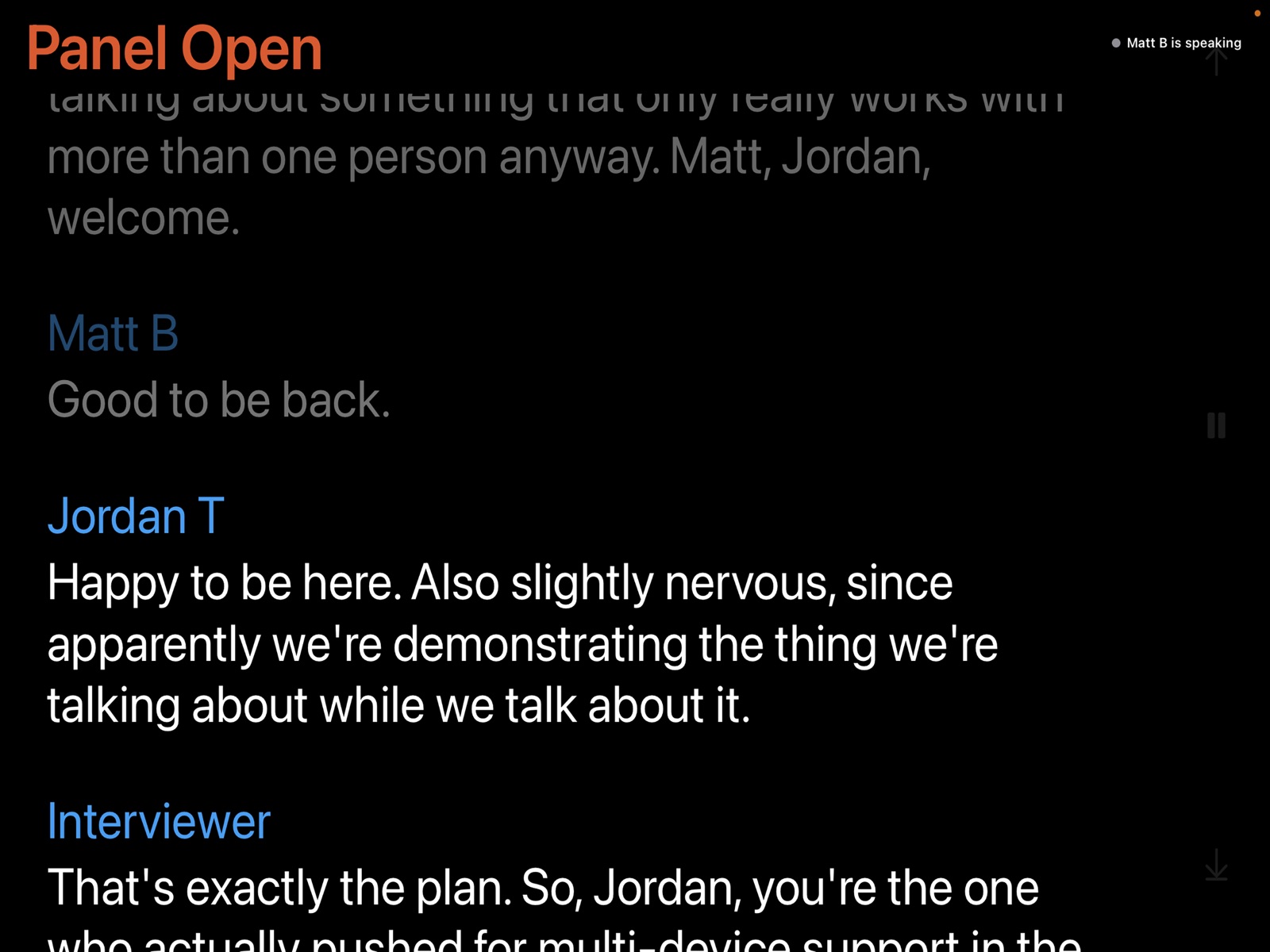
Make room for the unscripted.
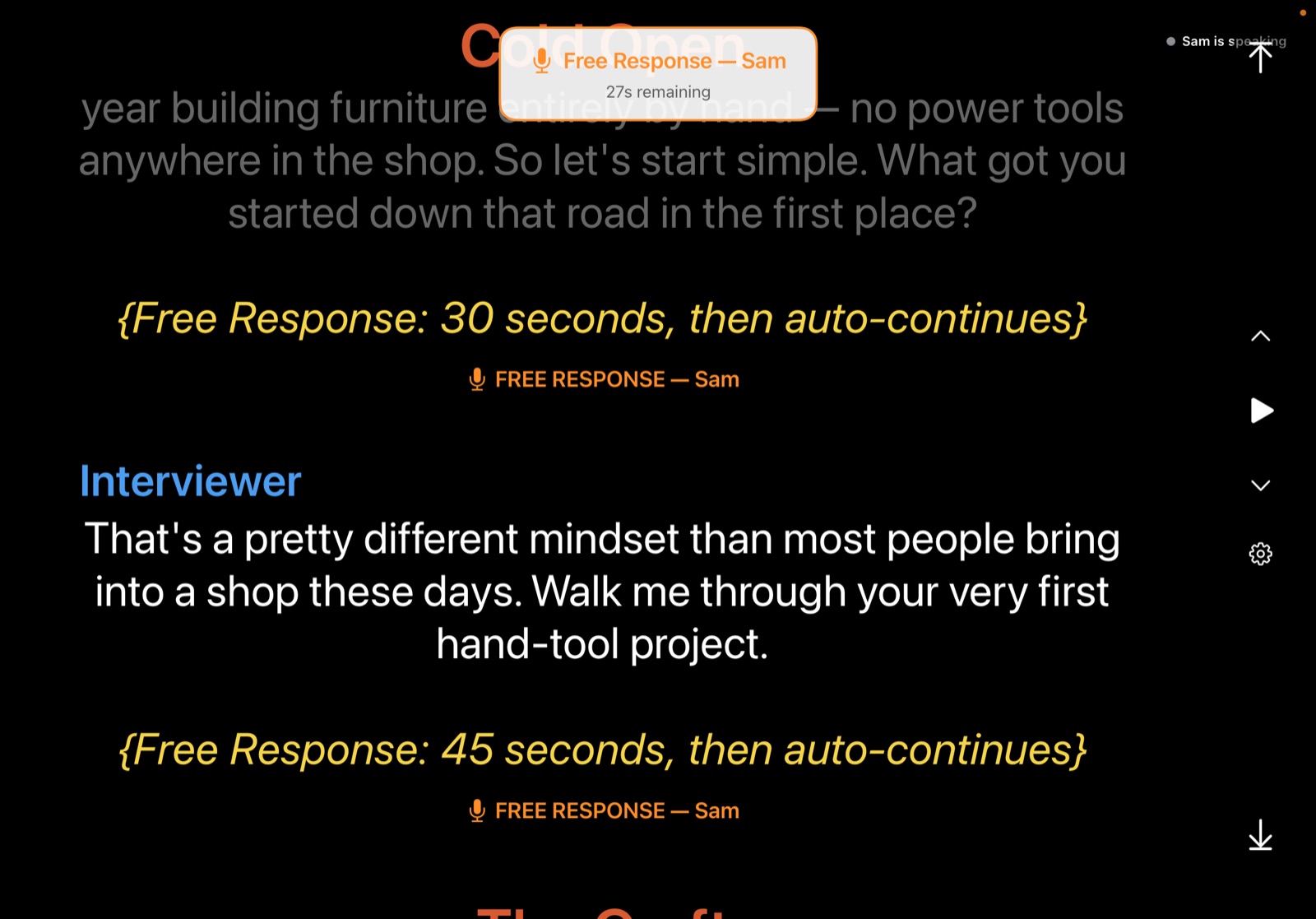
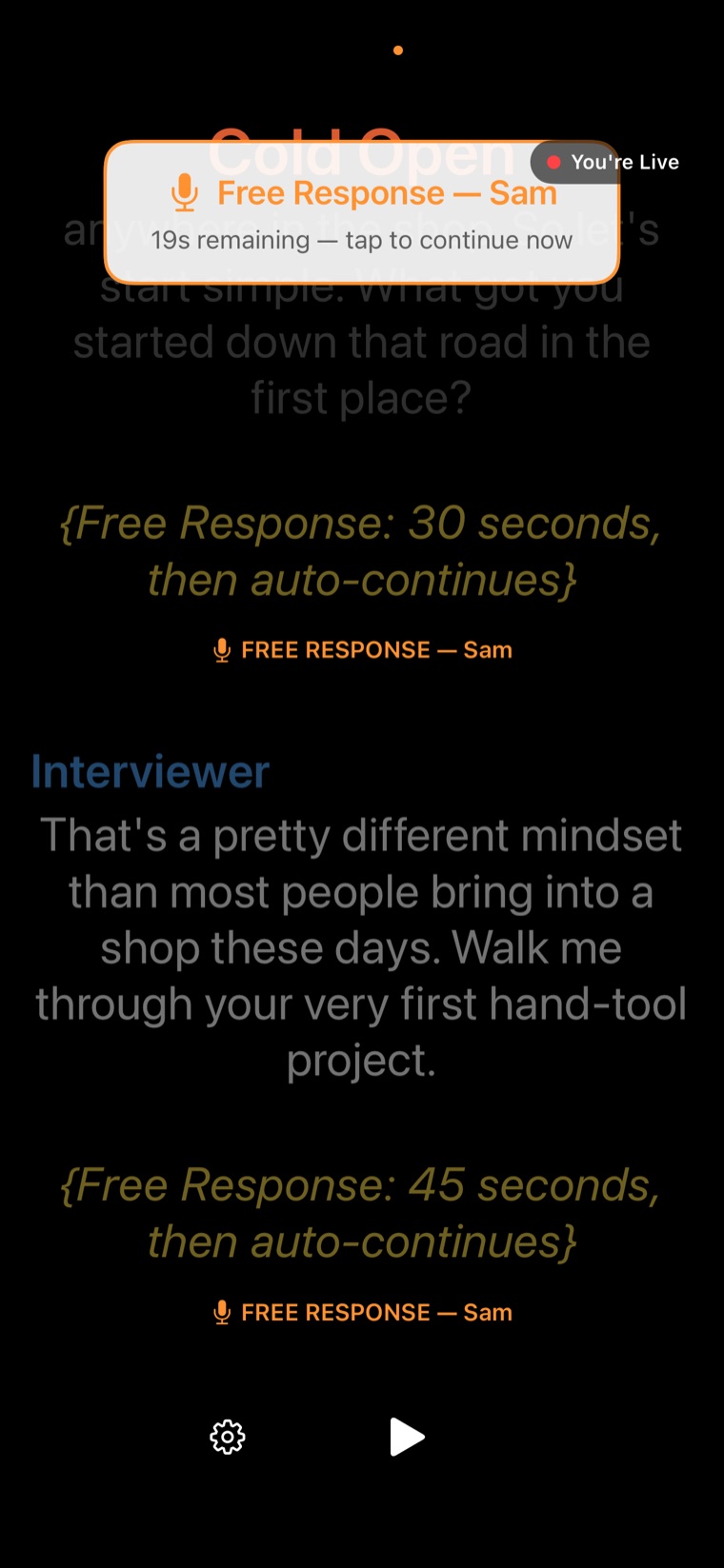
Interviews have moments you can’t script. Drop a marker into the script and the prompter holds, shows everyone a countdown, and continues on its own. Use a tap marker to wait until someone says go.
With Text Match on, it moves on early the moment the next scripted line begins.
Shoot it solo. No second camera needed.
Turn on recording and your camera captures you as you read, with a small preview so you know you’re framed. The video saves straight to your Photos library, ready to edit.
Built for your setup.
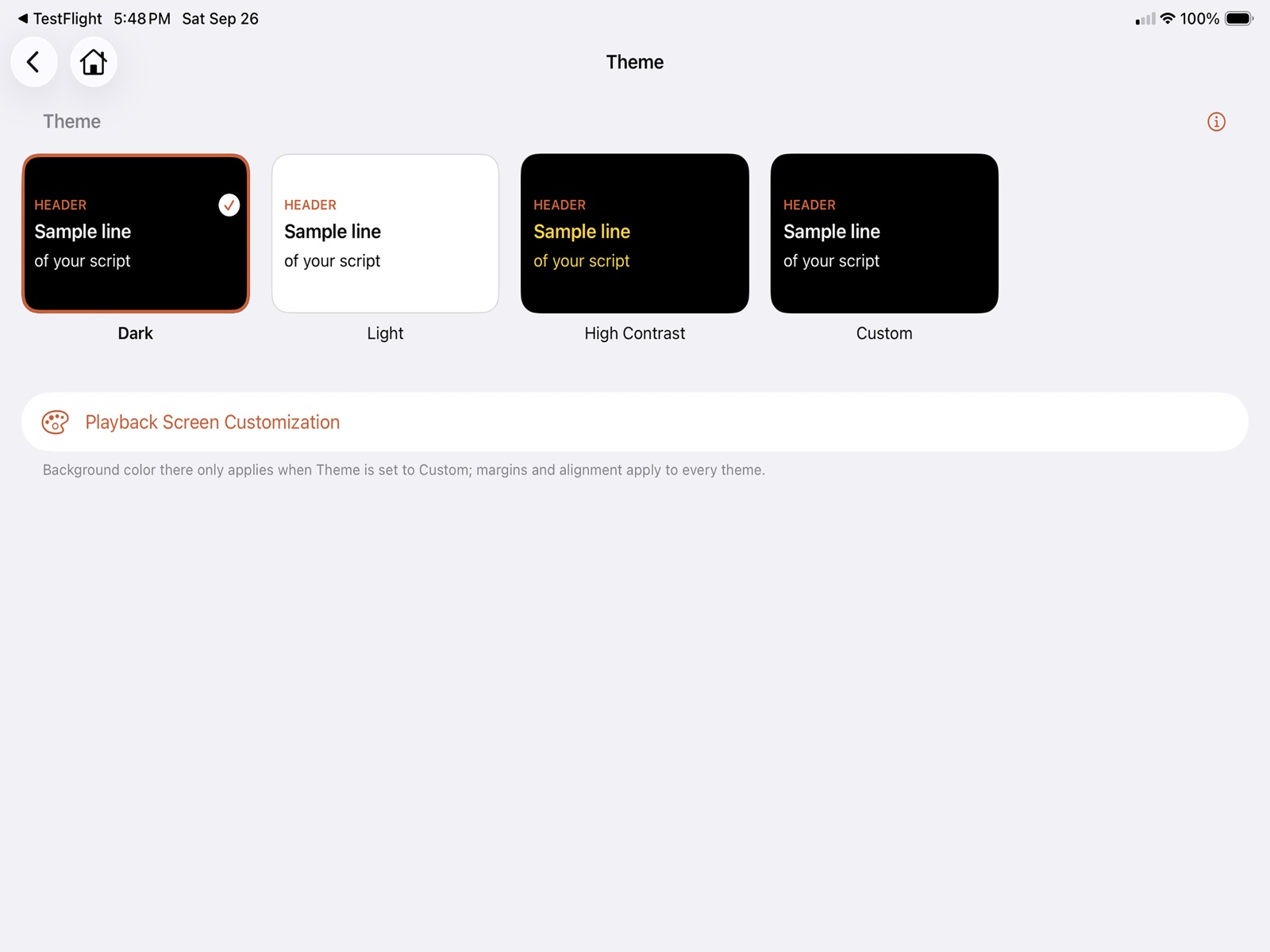
Dark, Light, High Contrast, or fully custom themes. A mirrored display for beam-splitter rigs. Adjustable margins, alignment, and text size. Orientation lock for rigs where auto-rotate gets in the way. Works on iPhone and iPad, portrait or landscape.
Own the core app. Outright.
Formatting, playback, and recording are yours with one purchase, no subscription required. Text Match and Multi-Device are optional add-ons if you want them.
Your scripts always stay in your own Google Drive or iCloud, never uploaded to us.